Tips & Helpful Information
Do It Yourself With XMission Control
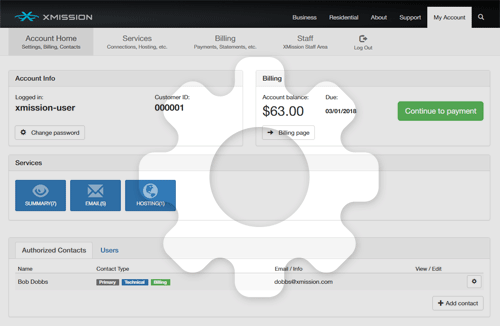
XMission has updated its control panel. “XMission Control” not only consolidates previous online tools but also adds new functionality to help you better manage your account. This initial blog post will touch upon a handful of key features. Future posts will delve deeper into these and other awesome elements. If you haven’t already, we encourage […]
Sane Password Management

Do you have trouble remembering your passwords? Struggle to create a secure, new password when you have to sign-up at yet another new website? Get frustrated trying to correctly type secure passwords on your smartphone too? Follow along as I explain password security best practices for the non-mathematicians of the world. While online security has […]
Buy Zimbra Open Source Support & Zimbra Suite Plus Tools from XMission

If you run your own Zimbra Open Source email server, we are pleased to announce that you can now purchase Zimbra Open Source Support and Zimbra Suite Plus new generation modules directly from XMission. When something happens to your Zimbra Open Source email server it can be frustrating trying to find the expert or the expertise you […]
Best Practices for Zimbra Email Security

Email contains our most valuable data, yet we often show little concern for its security and protection. Password strength and security are the most substantial components of basic data security. Strong passwords—or even better, strong passphrases—help protect the sensitive data contained inside your business user mailboxes. Because so many password-recovery systems use email, accessing company […]
Does Your Organization Need SOC 1 or SOC 2? – Updated!

PLEASE NOTE: This article contains outdated information. XMission is no longer HIPAA or SSAE 16 compliant. Please visit our SOC2 compliance page to learn about our recent certifications. What is SOC 1 (SSAE 16)? Not so many years ago, publicly traded businesses typically would conduct annual SAS 70 audits and feel content, knowing that an […]
Is it your connection or your router?
You just got home and decided to see what’s new on a social site or continue playing that favorite game of yours. Maybe because it’s a new year, you got a new router. Maybe you’re getting buffering and more buffering, or the spinning wheel of death. You might be thinking, “Did I get a bad […]
Getting the speeds you should get

Internet speeds today are 100 times faster than they were ten years ago. Every day we push the limits of our Internet connections to meet demands. The 250Mbps and 1Gbps connections provided by UTOPIA and XMission are no exception. We know what it means to need a fast and reliable Internet connection. The one oversight […]
XMission Unlimited Hosting Control Panel Upgrade

XMission has completed a major upgrade to our Plesk Control Panel and now provides Parallel’s latest 12.05 Odin Control Panel. These updates address many security vulnerabilities and provide better stability, reliability, and enhanced development for our Unlimited Web Hosting customers. These new control panel upgrades bring both enhancements to the tools you are used to as well as […]
Understanding your Unlimited Web Hosting account

So you setup an Unlimited Web Hosting account with XMission and now your website is up but with a default template rather than your content. Yikes! You need to fix this but are completely confused as to where to log in to find anything and what credentials to use. Let’s make sense of it all. Your […]
Premium and Base Zimbra XMission mailboxes, a tell all

XMission’s Business Email and Collaboration has two mailbox service levels to choose from: Premium and Base, both powered by Zimbra Collaboration. The mailbox run down: Both mailbox types provide email that can be accessed by your preferred email application (desktop and mobile) or by the rich AJAX webmail experience (meaning drag and drop) which provides all the features and tools in […]